Text (SMS) Survey
Send your survey by Text (SMS) and instantly reach your target audience, wherever they are. With our easy-to-use yet powerful SMS survey tool.
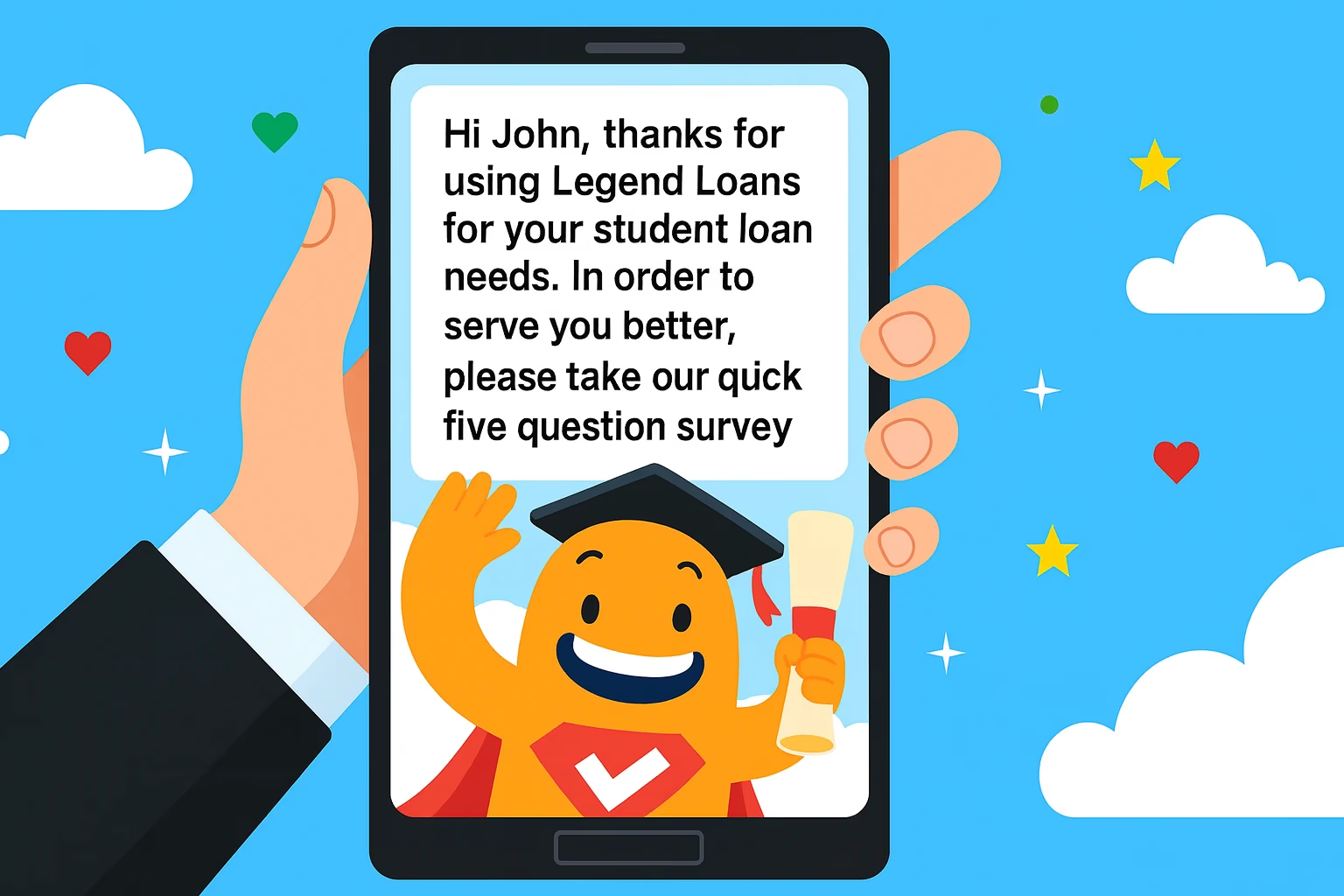
Text (SMS) Survey
Boost Your SMS Survey Conversions with SurveyLegend
Create a mobile-friendly web survey in SurveyLegend and share its link through a separate SMS service. SurveyLegend handles the survey and its responses; your SMS service handles message delivery and recipient management.
Here’s how to use SurveyLegend with your SMS service:
- Mobile-Friendly Web Surveys: Create a short survey that participants can open in their mobile browser.
- SMS Link Sharing: Copy your survey link into a message sent through your separate SMS service.
- Recipient Lists and Reminders: Manage recipient lists, opt-in preferences, and any reminders in your SMS service, using the features it provides.
- Real-Time Survey Analytics: View and analyze responses to your SurveyLegend web survey in real time.
- 70%
- Average SMS Response Rate
- 3x
- Faster Feedback Collection
- 30%
- Reduction in Drop-off Rates
- Data Quality
- Enhanced Data Integrity
An SMS survey can collect answers directly by text message or invite participants to a web survey through a link. With SurveyLegend, SMS is the invitation channel: participants open the survey link in their browser and answer the questions online.
Participants need an internet connection to complete a SurveyLegend web survey sent by SMS link. The questions and answers are handled in the web survey rather than through replies to the text message. You can use this approach for customer feedback, event polls, and market research.
What is an SMS Survey?
An SMS survey uses text messages to invite participants or collect answers. Some services collect answers through text-message replies. SurveyLegend uses a different approach: you share a link to a web survey through a separate SMS service.
Participants open the survey link in their browser and need an internet connection to answer the questions and submit the form. Receiving the SMS invitation does not mean that the survey itself can be completed without internet access.
How do SMS Text Surveys Work?
To use SurveyLegend with an SMS invitation, first create and test your web survey. Copy its link into a message sent through your separate SMS service. Participants open the link in their browser, answer the questions, and submit the form online; they need an internet connection to complete the survey.
Review the submitted survey responses in SurveyLegend. Manage message delivery, recipient lists, and any reminders in your SMS service, using the features it provides. Review or export the results according to your plan’s features, then use the feedback to inform your next steps.
What are the Types of Text Surveys?
The types of Text Surveys are listed below.
- Simple Polls: The surveys consist of a single question with possible answers, allowing users to quickly respond with a simple “yes” or “no” or a multiple-choice option. The types of surveys are found in polling apps or marketing campaigns.
- Multi-Question Surveys: The surveys contain multiple questions, with a mix of question formats (multiple choice, rating scales, or open-ended questions), allowing for more detailed feedback from users.
- Link-Based Surveys: The surveys send users a link to an external survey form, hosted on a website or survey platform, with a more extensive set of questions that are answered in a more detailed manner.
Why are SMS Text Surveys Important for Consumer Research?
SMS Text Surveys are important for consumer research because they offer high open rates, immediate feedback, and the ability to reach a broad demographic. Text messages boast an open rate of nearly 98%, much higher than email or other digital channels. It ensures that survey invitations are seen and acted upon by users. Immediate feedback is another key benefit, as users respond in real-time, providing businesses with up-to-date insights. The quick turnaround is valuable for time-sensitive decisions, enabling businesses to adjust strategies or address concerns immediately.
For a SurveyLegend survey distributed by SMS link, participants need internet access to open the questionnaire and submit their answers. SMS can provide an invitation channel for people you can contact by mobile number, but it does not remove the web survey’s connectivity requirement. Consider who is missing from your contact list and who cannot access the survey when interpreting the results.
How to Send a Survey via Text?
To send a Survey via Text, follow the ten steps listed below.
- Choose an SMS survey platform. Select a reliable SMS survey platform that offers features (customization, automated reminders, and analytics). Platforms (Google Forms) integrate with SMS services to streamline the process for mass SMS.
- Write concise questions. Create clear, short, and direct questions to ensure participants understand and respond quickly. Avoid complicated wording and aim for questions that are answered in a few words.
- Obtain consent from recipients. Ensure all participants have agreed to receive surveys via text by including an opt-in option. It complies with data privacy regulations and ensures respondents are willing to participate.
- Prepare the survey. Use the platform’s bulk messaging or send mass SMS feature to distribute the survey to a broad audience. It enables businesses to quickly send the study to multiple recipients at once, ensuring efficient distribution.
- Personalize the message. Customize the greeting or introduction in the message to make it more engaging and relevant to the recipient. Personalization increases response rates by making the survey feel more custom.
- Test the survey. Run a small test to check if the survey works as expected on different devices and with other network providers. It helps to identify and fix any potential issues before sending it to a larger audience.
- Set a reminder schedule. Arrange automatic reminders to be sent to recipients who have not responded within a specific timeframe. It ensures higher participation rates by prompting users who have forgotten.
- Track responses. Monitor the responses as they come in to analyze trends and adjust if needed. The survey platform provides real-time data on reactions, allowing for quick analysis.
- Analyze results. Review the collected data to identify patterns or insights that inform business decisions. Summarize the findings in reports that were shared with stakeholders.
- Set Up a Survey. Finalize and distribute the results or use them to inform strategies moving forward, once the survey is complete. The process to set up a survey is repeated regularly to gather continuous feedback, ensuring ongoing insights and improvement.
How to Create a Poll in a Text Message for Events?
To invite event participants to a SurveyLegend poll by SMS, follow these steps.
- Create the poll. Write a clear question and suitable answer options in SurveyLegend.
- Test the web form. Preview the poll on a phone and check that it can be read and completed.
- Prepare the invitation. Identify the sender, explain what the poll is about, and include the poll link.
- Send the message. Use your separate SMS service to distribute the invitation to the intended recipients.
- Collect answers online. Participants open the link in their browser and submit the poll. An internet connection is required; answers are not sent as SMS replies.
- Review the results. Follow responses in SurveyLegend and decide how to use or share the feedback. Send any follow-up messages through your SMS service.
How does Survey via Text Work for Collecting Customer Feedback?
To collect customer feedback with SurveyLegend, send an SMS invitation containing a link to your web survey. For example, ask customers to rate a recent experience from 1 to 5 in the linked form and offer an optional comment question. Customers open the link in their browser and submit their answers online. They need an internet connection; replying to the invitation by SMS does not submit a SurveyLegend response.
Businesses receive immediate, by using SMS feedback survey, actionable insights into customer satisfaction by using an SMS feedback survey, making it easier to address any issues in real-time. The direct and convenient form of feedback helps businesses improve customer experience and make decisions, improving service quality.
Can I send a Poll via Text Using SMS Marketing Software?
Yes, you can send a poll via text using SMS marketing software. The modern SMS marketing platforms offer built-in features to create, send, and manage text-based polls or surveys. The platforms allow businesses to easily design multiple-choice questions, customize message templates, and reach a large audience through bulk messaging. The process is smooth, enabling companies to collect customer feedback with minimal effort and maximum reach.
SMS marketing software provides real-time analytics, allowing businesses to track responses and evaluate customer satisfaction instantly. The sites support automated reminders, ensuring that responses are maximized. Businesses quickly gather insights from their customers by leveraging the tools, improving customer experience, and driving informed decision-making processes. The platforms integrate with Customer Relationship Management (CRM) systems, enabling businesses to segment their audience and adjust their polls for specific customer groups. Businesses gather targeted, relevant feedback, improving their ability to act on customer insights effectively.
What are the Advantages of SMS Text Surveys?
The advantages of SMS Text Surveys are listed below.
- High Response Rate: SMS text surveys tend to have higher response rates compared to email or online surveys. The chances of reaching participants are much greater, since participants have access to a mobile phone. SMS messages are read within minutes of receipt, prompting quicker responses.
- Instant Feedback: SMS surveys provide real-time responses, enabling businesses to gain immediate insights. The immediacy is beneficial for businesses that need quick customer feedback. It allows companies to address issues or make improvements without delay.
- Wide Reach: SMS lets you send survey invitations to the mobile numbers in your contact list. For a SurveyLegend survey, participants still need internet access to open the linked questionnaire and submit answers.
- Cost-Effective: Sending SMS surveys is more affordable than traditional marketing methods. There are no printing or postage costs involved, making it a budget-friendly option. Mass SMS services offer competitive pricing for bulk messages.
- Easy to Use: Participants tap the link in the SMS invitation and answer the questions in their browser. Keep the web form easy to read and complete on a phone.
- Higher Engagement: SMS surveys lead to higher engagement because text messages are personal and direct. Participants tend to scan their texts, making them respond. The direct approach improves participation and the quality of feedback.
- Internet Access: Receiving an SMS invitation does not require mobile data, but completing a SurveyLegend web survey does require an internet connection.
- Reminders: Manage any reminder messages in your separate SMS service, according to the features it provides.
- Anonymity: SMS surveys provide a level of anonymity, encouraging honest feedback from customers. Participants share their opinions freely without the fear of judgment. It led to more accurate and genuine responses.
- Distribution Setup: Copy the SurveyLegend survey link into your SMS service. Any connection to a CRM or messaging automation system depends on the separate services and setup you use.
How do SMS Surveys affect Market Research?
SMS Surveys affect market research through their ability to provide quick, actionable insights with high response rates. Businesses reach a larger audience by utilizing SMS as a medium, ensuring more representative data. The ease and immediacy of SMS encourage higher engagement compared to other survey methods (emails or online forms). It increases the reliability of the collected data, as more customers participate and provide feedback in real-time.
SMS surveys allow businesses to gather real-time feedback, which is critical for making informed decisions. Quickness is required in fast-paced industries where companies need to adjust their strategies based on customer input quickly. The data collected through SMS surveys is easily integrated into market research strategies, providing insights that are valuable for product development, customer satisfaction, and other business improvements. The surveys improve the quality of Market Research Surveys by offering accurate, timely, and broad-based customer feedback.
Are SMS Surveys Effective for Market Research?
Yes, SMS surveys are effective for market research. SMS surveys are effective for capturing immediate, in-the-moment feedback when simple questions are used. SMS surveys excel in research types (customer satisfaction surveys, event feedback, and post-purchase reviews), where businesses need to gather quick, actionable insights. It allows companies to collect real-time data right after an interaction, ensuring that feedback reflects the customer’s immediate experience.
SMS surveys are highly effective because they deliver quick and direct questions that are easy for customers to answer, for specific research types (product testing or service evaluations). The format is ideal for obtaining immediate feedback from customers who do not have the time or inclination to fill out more lengthy surveys. Businesses quickly assess customer reactions by using SMS surveys, make adjustments, and improve their offerings based on fresh, relevant data.
How to Conduct an Effective SMS Survey?
To conduct an Effective SMS Survey, follow the ten steps listed below.
- Choose a Reliable SMS Platform. Select an SMS survey platform that offers user-friendly features, automated reminders, and real-time analytics. Ensure the platform integrates easily with the existing systems for data collection.
- Define the Objectives. Clearly outline the purpose of the survey, whether it is to measure customer satisfaction, gather product feedback, or assess event responses. Establish what information they want to collect from participants.
- Write Clear and Concise Questions. Keep the questions short and easy to understand. Avoid complex language and ensure each question is focused on one specific aspect to avoid confusion.
- Personalize the Message. Customize the greeting or introduction to make the survey feel personal. Include the recipient’s name or other relevant details to increase engagement.
- Offer Incentives. Provide small rewards or incentives to encourage higher participation. It includes discounts, access to exclusive content, or entry into a prize draw.
- Send Test Messages: Test the survey with a small group before sending it out to the entire audience. Ensure that the questions display correctly, and the survey flow works as expected.
- Schedule the Survey. Choose the optimal time to send the survey, ensuring that it reaches the target audience when they respond. Avoid sending surveys in late hours or peak working times.
- Monitor Responses. Track responses in real-time as they come in. Use the analytics tools provided by the SMS platform to monitor response rates and gather insights promptly.
- Send Reminders. Start automated reminders for participants who have not responded within a specified time frame. It ensures that more participants complete the survey, improving the quality of the data.
- Analyze and Act on Feedback. Review the responses to identify trends, strengths, and areas for improvement after collecting the data. Use the feedback to inform business decisions and improve customer experiences.
When do Market Researchers Use SMS Surveys?
The common cases of Market Researchers’ Use of SMS Surveys are listed below.
- Post-Transaction Feedback: SMS surveys are used immediately after a transaction to gather customer satisfaction data. It helps businesses understand how customers feel about their purchase or service. It provides valuable insights that are used to improve future interactions.
- Event Polling: Market researchers use SMS surveys in or after an event to collect feedback from attendees. It allows organizers to assess different aspects of the event (content, logistics, and experience). The quick turnaround of SMS surveys ensures that the data is fresh and relevant.
- Quick Public Opinion Polls: SMS surveys are ideal for gauging public opinion on a variety of topics, from political issues to product preferences. The surveys capture real-time sentiment and help businesses or organizations make informed decisions. The accessibility of SMS allows for a broad and diverse audience to participate.
- Product Testing Feedback: SMS surveys are used to capture their immediate reactions after a customer tests a new product. The feedback helps businesses fine-tune the product before its full release. Researchers assess the product’s appeal, usability, and effectiveness based on real-time customer feedback.
- Customer Satisfaction Surveys: SMS surveys are used to measure customer satisfaction with a recent purchase or service experience. The simplicity and ease of use encourage high response rates, providing businesses with reliable data on customer satisfaction levels. The data drives improvements in products or services.
- Service Improvement Feedback: SMS surveys are sent to assess the quality of support provided after a customer service interaction. Researchers use the data to identify strengths and weaknesses in the customer service process. The results guide improvements in training, methods, and service quality.
What are Examples of Text Message Surveys?
The examples below are questions to place in a linked SurveyLegend web survey. Your SMS invitation should identify the sender, explain the purpose, and include the survey link. Participants answer in their browser with an internet connection, rather than by replying to the SMS.
- Customer Satisfaction Survey: A text message survey example asks customers to rate their overall experience with a recent purchase. “On a scale of 1-5, how satisfied were you with your purchase? 1 = Very Dissatisfied, 5 = Very Satisfied.” It helps businesses identify areas for improvement and measure customer contentment.
- Event Feedback Survey: A survey text example asks attendees for their opinion on an event. “How would you rate the event? Choose a rating from 1 (Poor) to 5 (Excellent). What did you enjoy most?” It provides insights into event success and identifies areas for improvement in future events.
- Product Feedback Survey: A survey examples request feedback on a product. “How would you rate the quality of the product you bought? Choose a rating from 1 to 5, with 5 being the best.” The results help businesses understand how well their product meets customer expectations and where adjustments are needed.
- Market Research Survey: A text message survey example to measure customer interest in a new product. “We’re planning to launch a new product. Would you be interested? Choose Yes or No.” It helps businesses measure demand and assess their product idea resonates with the target audience.
- Service Quality Survey: A survey text example assesses the quality of service received. “How satisfied were you with the service you received today? Choose a rating from 1 to 5, with 5 being the best.” The survey provides businesses with real-time feedback to improve customer service and resolve issues promptly.
- Delivery Experience Survey: A sms survey examples focus on a customer’s delivery experience. “Was your order delivered on time? Choose Yes or No. If no, please share details.” It helps businesses assess their delivery process and address any logistical issues to improve customer satisfaction.
- Post-Purchase Experience Survey: A sms survey example inquires about the customer’s satisfaction with a recent purchase. “How likely are you to recommend this product to a friend? Choose a rating from 1 (Not Likely) to 5 (Very Likely).” It provides insights into customer loyalty and satisfaction with the product.
- Loyalty Program Feedback: A text message survey example asks about a customer’s experience with a loyalty program. “How satisfied are you with the rewards program? Choose a rating from 1 to 5, with 5 being Very Satisfied.” It helps businesses evaluate the effectiveness of their loyalty program and identify areas to improve customer retention.
- Price Perception Survey: A survey text gathers feedback on pricing. “Do you think our product is priced fairly? Choose Yes or No.” The input helps businesses to understand customers’ perceptions of price fairness and make adjustments if required.
- Customer Support Survey: A SMS survey example used to assess the quality of customer service. “How would you rate your experience with our support team? Choose a rating from 1 (Poor) to 5 (Excellent).” It allows businesses to identify strengths and weaknesses in their customer support and make improvements.
How does SMS Survey Research differ from other Survey Methods?
The distinction is between the invitation channel and the way participants answer. Some SMS services collect answers directly through text-message replies. With SurveyLegend, an SMS invitation instead contains a link to a web survey. Participants open that link in their browser and need an internet connection to submit answers.
The same SurveyLegend web survey can be shared through other channels, such as email. The invitation channel does not determine the questionnaire’s depth or question types. Choose the channel and survey length to suit your audience, and compare results using your own delivery and completion data.
Can I use SurveyLegend to collect survey responses through SMS?
SurveyLegend lets you create an online survey and share its link through your chosen SMS service. SurveyLegend collects the responses when recipients open the link and complete your survey online.
Connect your survey with Google Sheets, Mailchimp, or Salesforce using built-in integrations, without writing code. For other CRM systems, build custom connections through our API or webhooks.
Your SMS service handles message delivery and any SMS reminders you configure there.
Is there a Free Text Message Survey Option?
Yes, there is a free text message survey option. Free text users create and send surveys to a small audience, while some platforms offer limited free trials or free versions with basic features. The text message survey free comes with restrictions on the number of surveys, responses, or advanced features (analytics or automated reminders). It is a good starting point for businesses looking to test the effectiveness of SMS surveys on a small scale before committing to a paid plan.
Sending a free text survey at scale to large audiences requires a paid subscription plan. Paid plans offer more robust features (bulk messaging, detailed analytics, integration with CRM systems, and automated follow-ups), making it easier for businesses to manage and analyze responses effectively. Companies need to invest in a paid plan to fully leverage the capabilities of SMS surveys and reach a broad customer base. A paid subscription provides access to improved customer support, more customization options, and the ability to conduct surveys over extended periods without worrying about response limits.