Email Survey
Email surveys help you reach the right people directly in their inbox. Send recipients a link to a beautiful online questionnaire, collect targeted feedback quickly, and turn real-time responses into confident, data-driven decisions.
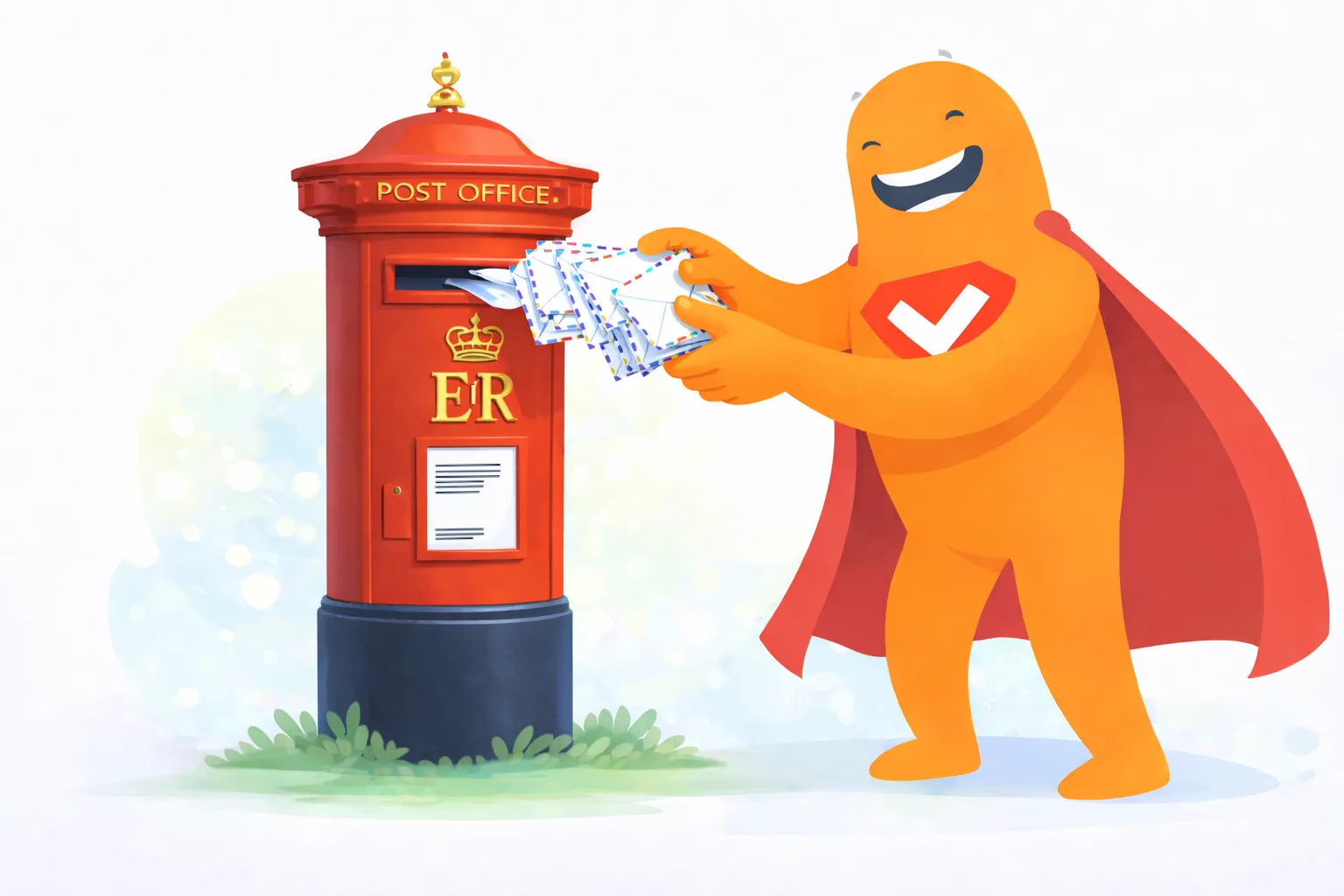
Email survey essentials
Boost Your Email Survey Conversions with SurveyLegend
Unlock the potential of your email surveys and maximize your return on investment with SurveyLegend. We provide the tools and insights you need to increase participation, improve data quality, and gain actionable intelligence.
Here’s how SurveyLegend can help you achieve higher conversion rates:
- Engaging Survey Design: Create visually appealing and user-friendly surveys that capture respondents’ attention.
- Share Your Survey by Email: Copy your survey link and add it to an invitation sent through your preferred email tool.
- Collect Responses in One Place: Respondents complete your survey online, and their answers are collected in SurveyLegend.
- Real-time Analytics: Track your conversion rates and identify areas for improvement with our comprehensive analytics dashboard.
- 85%
- Average Completion Rate
- 2x
- Increase in Email Engagement
- 30%
- Reduction in Drop-off Rates
- Data Quality
- Enhanced Data Integrity
An email survey is an online questionnaire distributed through an email invitation. The email normally contains a button or link that takes the recipient to a web-based survey, where they answer questions using a smartphone, tablet, laptop, or desktop computer.
The purpose of an email survey is to collect feedback from a known or carefully selected audience. Businesses use email surveys to measure customer satisfaction, evaluate products and services, conduct market research, gather employee feedback, and understand experiences following purchases, events, appointments, or customer support interactions.
Email surveys combine the direct reach of email with the speed and flexibility of online data collection. Invitations can be personalized for specific audience segments, sent shortly after a relevant interaction, and followed by carefully timed reminders. Responses are captured digitally, allowing researchers to review results without printing questionnaires or entering answers manually.

SurveyLegend helps businesses, researchers, educators, and organizations create and host visually engaging online surveys that can be shared through email. Create the questionnaire, publish it, copy its unique survey link, and include the link in an email sent through your preferred email client, Customer Relationship Management system, or email campaign platform.
The email service delivers the invitation, while SurveyLegend hosts the questionnaire and collects the responses. Respondents click the link, complete the survey online, and submit their answers directly to SurveyLegend.
What is an Email Survey?
An email survey is a research method in which respondents receive an email invitation containing a link to an online questionnaire. The invitation usually explains why the recipient is being contacted, what the survey is about, how long it should take, and how to begin.
After clicking the survey link, the respondent is taken to a questionnaire hosted online. The respondent answers the questions and submits the completed survey electronically. The survey platform records the answers automatically and makes them available to the survey creator for analysis.
An email survey is defined primarily by its distribution method. Email is the channel used to invite respondents, while the questionnaire itself is normally completed online.
Most email surveys are therefore also web-based surveys, but not every web-based survey is distributed through email. Online surveys can also be shared through websites, QR codes, social media, text messages, applications, and other digital channels.
Email surveys are different from postal surveys, which use printed questionnaires delivered to physical addresses and returned through the postal service.
Email surveys are especially useful when an organization already has a legitimate way to contact a defined audience, such as customers, employees, members, students, patients, subscribers, event attendees, or research participants.
How do Email Surveys Work?
Email surveys work through a straightforward digital process.
First, the researcher creates an online questionnaire based on a clear research objective. The survey is then published and receives a unique web link.
The researcher writes an email invitation and adds the survey link to a visible button, image, or line of text. The email is sent through an email client, CRM, marketing automation tool, or email campaign platform.
Recipients who choose to participate click the link. The questionnaire opens in their web browser, where they answer the questions using their preferred device.
After respondents submit the survey, their answers are recorded automatically. Researchers can then review individual responses, analyze combined results, compare audience segments, and identify patterns in the collected data.
The email system and survey platform perform different roles. The email system delivers the invitation, while SurveyLegend hosts the questionnaire and collects the survey responses.
Are Surveys Sent to Respondents Using Email?
Yes, email surveys are sent to respondents through email.
The recipient normally receives an invitation containing a direct link or call-to-action button, such as “Take the survey,” “Share your feedback,” or “Start the questionnaire.”
Clicking the call to action opens the complete survey online. Respondents are not usually expected to print the questionnaire, return anything through the postal service, or provide all their answers by replying to the email.
The email acts as the invitation and distribution channel. The online survey platform manages the questions, answer options, survey logic, submissions, and results.
Using a direct survey link is generally the most reliable approach because it works across a wide range of email clients, browsers, and devices.
Can a Survey be Embedded Directly in an Email?
A complete multi-question survey cannot always be embedded reliably inside every email client. Many email providers restrict interactive forms, scripts, and other functionality for security and compatibility reasons.
A questionnaire that functions inside one email application may not work correctly in another. Some recipients may also have images or interactive elements disabled.
The most dependable method is to include a clear button or text link that opens the mobile-friendly survey in a web browser.
A simple first question can sometimes be presented visually inside the email. For example, an email may display a satisfaction scale, star rating, image selection, or single-choice question. Each answer can link the recipient to the relevant online survey, where they confirm the selection or continue answering the remaining questions.
The complete questionnaire should still be available through a standard survey link so that recipients can participate regardless of their email application or device.
What are the Types of Email Surveys?
The main types of email surveys are listed below.
- Link-Based Email Surveys: The email contains a button or text link that opens the complete questionnaire in a web browser. It is the most common and widely compatible email survey format.
- First-Question Email Surveys: A single question appears visually inside the email. Clicking an answer takes the respondent to the online survey, where the remaining questions are completed.
- Transactional Email Surveys: The invitation is sent after a specific interaction, such as a purchase, delivery, appointment, support conversation, or completed service.
- Relationship Email Surveys: Surveys are sent periodically to evaluate the respondent’s overall relationship with a company, organization, product, or service.
- Lifecycle Email Surveys: Invitations are connected to a particular stage in the customer or employee journey, such as onboarding, renewal, cancellation, promotion, or departure.
- Customer Satisfaction Email Surveys: Customers receive questionnaires asking about their satisfaction with products, services, support, delivery, or the overall customer experience.
- Market Research Email Surveys: Selected customers, research participants, or panel members answer questions about preferences, buying behavior, pricing, brand perception, or future demand.
- Employee Email Surveys: Organizations distribute internal questionnaires about engagement, leadership, communication, workplace culture, training, or organizational change.
- Event Email Surveys: Attendees receive surveys before or after an event to evaluate expectations, registration, content, speakers, organization, and the overall experience.
- Follow-Up Email Surveys: A second questionnaire is sent after an earlier survey or interaction to collect additional information, clarify responses, or evaluate whether improvements were successful.
- Longitudinal Email Surveys: The same participants receive questionnaires at different points in time, allowing researchers to monitor changes in opinions, behavior, satisfaction, or circumstances.
- Panel Email Surveys: Invitations are sent to members of a predefined survey panel who have agreed to participate in research over time.
Why are Email Surveys Important for Consumer Research?
Email surveys are important for consumer research because they provide a direct way to contact customers and collect structured feedback from relevant audience groups.
Organizations often have customer email addresses connected with purchases, subscriptions, memberships, appointments, accounts, deliveries, or support interactions. This makes it possible to send a survey after a meaningful experience rather than inviting an unrelated general audience.
The timing of an email survey also helps connect the feedback with a specific event. A customer can receive a satisfaction survey after a delivery, a software user can receive a questionnaire following onboarding, or an event attendee can receive an evaluation after a conference.
Email surveys support audience segmentation. Researchers can invite recipients based on customer type, product used, purchase history, location, membership level, account activity, or another relevant characteristic.
Comparing responses from different segments helps organizations understand how expectations, needs, and experiences vary across their audience.
Email surveys are also useful for collecting both quantitative and qualitative information. Rating scales and multiple-choice questions produce measurable results, while open-text questions allow respondents to explain their experiences in their own words.
The method is particularly valuable when an organization needs timely feedback from people with an existing relationship to the sender.
What Should an Email Survey Invitation Include?
An effective email survey invitation includes the elements listed below.
- Recognizable Sender: Use the name of a person or organization the recipient is likely to recognize and trust.
- Clear Subject Line: Explain that feedback is being requested without using misleading, exaggerated, or overly promotional wording.
- Relevant Introduction: Tell recipients why they are receiving the survey and how it relates to their experience.
- Survey Purpose: Briefly explain what the organization wants to understand, evaluate, or improve.
- Estimated Completion Time: Give recipients a realistic idea of how long the questionnaire should take.
- Clear Call to Action: Use one prominent button or link that clearly invites the recipient to begin.
- Response Deadline: Include a deadline when the questionnaire is only available for a limited period.
- Privacy Information: Explain whether responses are anonymous, confidential, or connected with identifiable information.
- Incentive Details: Clearly describe any reward and the conditions for receiving it.
- Contact Information: Give recipients a way to ask questions or verify that the invitation is legitimate.
- Opt-Out Information: Allow recipients to stop receiving survey invitations when required or appropriate.
The invitation should remain focused and easy to scan. Its main purpose is to establish trust, explain why participation matters, and make it simple for the recipient to begin.
An email invitation should not contain the entire research explanation or repeat every question in the survey. Additional details can be provided on the survey introduction page when necessary.
How to Set Up an Email Survey?
To set up an email survey, follow the ten steps listed below.
-
Define the Survey Objective. Decide what information the survey must collect and how the results are going to be used. A clear objective prevents unnecessary questions from being added.
-
Select the Target Audience. Choose recipients who have relevant knowledge or experience. Use an email list that the organization is authorized to contact and avoid sending invitations to unrelated audiences.
-
Create the Questionnaire. Write clear, neutral, and concise questions that support the research objective. Combine quantitative and qualitative questions when both measurement and explanation are required.
-
Organize the Question Flow. Arrange questions in a logical order. Begin with relevant and straightforward questions before moving to detailed, personal, or sensitive topics.
-
Design the Survey Experience. Use a professional visual design and make sure the questionnaire is easy to complete on smartphones, tablets, laptops, and desktop computers.
-
Publish the Survey and Copy its Link. Publish the questionnaire and obtain the unique hosted survey link that recipients are going to open.
-
Write the Email Invitation. Explain why the recipient is being contacted, what the survey concerns, how long it should take, and why the feedback is valuable.
-
Add a Clear Survey Button. Place one visible call-to-action button or link in the email. Use descriptive wording such as “Take the survey” instead of an unclear phrase such as “Click here.”
-
Test the Email and Survey. Send test invitations to different email accounts and open them on multiple devices. Check the survey link, question logic, mobile layout, spelling, and submission process.
-
Send, Monitor, and Analyze. Deliver the invitation at an appropriate time, monitor incoming responses, send a limited number of reminders when appropriate, and analyze the results according to the original research objective.
How do Email Surveys Compare to Postal Surveys?
Email surveys and postal surveys both allow respondents to complete questionnaires independently, but their distribution and data collection processes are different.
Email surveys are delivered digitally and normally direct recipients to an online questionnaire. Invitations arrive quickly, answers are recorded automatically, and results become available as respondents submit the survey.
Email surveys also remove the need to print questionnaires, prepare envelopes, purchase postage, and manually enter answers from returned forms.
Postal surveys use printed questionnaires delivered to physical addresses. Respondents complete the survey on paper and return it through the postal service.
Postal surveys can be useful when the target audience has limited internet access, does not regularly use email, or is more likely to respond to physical communication.
Email surveys are normally faster and easier to scale. However, they depend on valid email addresses, internet access, successful email delivery, and recipients being willing to open the invitation.
Postal surveys avoid competition inside a digital inbox but require more time, physical materials, postage, return handling, and data entry.
The appropriate method depends on the audience, available contact information, research objective, budget, required response time, and desired level of coverage.
Researchers can also combine the two methods. For example, a postal invitation can contain a QR code or short web address that takes the recipient to an online survey.
How do Incentives Work in Email Surveys?
Incentives encourage recipients to complete an email survey by offering something of value in return for their participation.
The email invitation explains the incentive and includes a link to the online questionnaire. The reward can be delivered after the survey is completed, displayed on a thank-you page, or sent through a separate follow-up message.
Common email survey incentives include gift cards, discount codes, loyalty points, prize-draw entries, charitable donations, digital downloads, or early access to a product or service.
The conditions must be explained clearly. Recipients should understand what they may receive, whether every participant qualifies, whether the incentive is part of a drawing, when the reward is delivered, and whether limitations apply.
An incentive should encourage participation without pressuring respondents or encouraging careless answers. Its value should be reasonable in relation to the time and effort required to complete the questionnaire.
When is it Better to Use Email Survey Incentives?
Email survey incentives are useful when the audience has limited natural motivation to participate, the questionnaire requires a significant amount of time, or the target group is difficult to reach.
Incentives can also help when researchers need responses from a narrow professional audience, ask participants to evaluate a detailed experience, or require the same individuals to complete several rounds of research.
An incentive is not always necessary. Customers may participate without a reward when the survey is short, relevant, and clearly connected with improving a product or service they use.
Employees, members, students, or event attendees may also respond because they value the opportunity to influence future decisions.
Researchers should first improve the invitation, survey length, question quality, mobile experience, and timing. An incentive should support a well-designed survey rather than compensate for an unnecessarily long or confusing questionnaire.
What are the Advantages of Email Surveys?
The advantages of email surveys are listed below.
- Fast Distribution: Invitations reach recipients quickly, allowing organizations to begin collecting feedback without printing or physical delivery.
- Lower Distribution Costs: Email surveys remove paper, envelope, printing, postage, and manual data-entry expenses.
- Targeted Audience Reach: Invitations can be sent to carefully selected customers, employees, members, subscribers, or research participants.
- Convenient Participation: Respondents can complete the survey at a suitable time using a smartphone, tablet, laptop, or desktop computer.
- Real-Time Data Collection: Answers are recorded as soon as respondents submit the questionnaire.
- Easy Personalization: Email invitations can refer to a recipient’s name, product, transaction, event, or relationship when the email system supports personalization.
- Scalable Distribution: The same survey can be shared with a small customer group or a large international audience.
- Automated Data Capture: Responses are recorded digitally, reducing transcription work and mistakes associated with manual data entry.
- Flexible Question Design: Researchers can use ratings, multiple-choice questions, open-text fields, images, logic, and other interactive question formats.
- Simple Follow-Up: Researchers can send reminders through their email system to eligible recipients who have not yet participated.
- Audience Segmentation: Results can be compared across customer types, regions, products, campaigns, or other meaningful groups.
- Faster Analysis: Online reporting tools help researchers identify patterns and begin acting on feedback sooner.
- Reduced Interviewer Influence: Respondents answer independently without an interviewer influencing how questions are understood or answered.
- Consistent Presentation: Every recipient receives the same questions, instructions, and answer options.
What are Some Common Email Survey Disadvantages?
The common email survey disadvantages are listed below.
- Inbox Competition: Survey invitations compete with work messages, personal emails, promotions, newsletters, and other notifications.
- Spam and Deliverability Problems: Emails can be filtered, rejected, or placed in a junk folder before the recipient sees them.
- Low Participation: Some recipients ignore survey invitations, postpone answering, or decide the questionnaire is not relevant.
- Coverage Bias: People without valid email addresses, regular internet access, or confidence using digital tools may be underrepresented.
- Non-Response Bias: People who choose to participate may differ from those who ignore the invitation, affecting how representative the results are.
- Survey Fatigue: Recipients who receive too many questionnaires may stop opening invitations or provide less thoughtful answers.
- Trust Concerns: Unexpected survey links can resemble phishing attempts when the sender, purpose, or destination is unclear.
- Limited Clarification: There is no interviewer immediately available to explain a question when a respondent is confused.
- Technical Differences: Buttons, images, fonts, and interactive elements can display differently across email clients and devices.
- Outdated Contact Information: Invalid, abandoned, or duplicate email addresses can reduce the quality of the invited sample.
- Privacy Responsibilities: Organizations must protect contact information, explain how responses are handled, and follow applicable privacy and email communication requirements.
- Self-Selection: People with particularly positive or negative experiences may be more motivated to participate than recipients with neutral opinions.
How can the Disadvantages of Email Surveys be Minimized?
The disadvantages of email surveys can be minimized through careful targeting, transparent communication, and respondent-friendly design.
Send invitations only to relevant recipients using accurate and appropriately managed email lists. Use a recognizable sender name and a clear subject line. Explain why the recipient is being contacted and how the feedback is going to be used.
Keep the questionnaire focused and provide an honest completion-time estimate. Design the survey for mobile devices and test the invitation in several email applications before sending it.
Use one prominent survey button and avoid attachments, excessive images, or unnecessary links that can create confusion or reduce trust.
Segment the audience so that recipients receive only surveys relevant to their experiences. Limit the number of reminders and avoid repeatedly surveying the same people.
Clearly explain privacy, confidentiality, anonymity, and incentive conditions. Receiving an invitation through email does not automatically make responses anonymous or identifiable. That depends on how the survey and survey links are configured.
Monitor undeliverable messages and remove invalid or duplicate addresses from future invitations. Respect opt-out requests and follow the requirements that apply to the organization and its audience.
Researchers can reduce coverage and non-response bias by comparing the respondents with the invited audience and, when necessary, combining email surveys with text or SMS surveys, telephone surveys, postal surveys, website surveys, or in-person research.
How does Email Survey Sampling Work in Data Collection?
Email survey sampling works by selecting respondents from an available list of email contacts.
The list acts as the sampling frame and should contain people who are relevant to the research objective. The quality of the final data depends partly on how complete, accurate, and representative the list is.
Researchers may invite every eligible person when the audience is small. This approach is useful for surveying all employees in a department, all attendees at an event, or all customers who completed a particular transaction.
Larger contact lists can be reduced using random, systematic, stratified, or quota-based selection.
- Random Sampling gives each eligible contact a defined chance of being selected.
- Systematic Sampling selects contacts at regular intervals from an organized list.
- Stratified Sampling divides the audience into groups, such as customer type, location, age range, or product used, and selects respondents from each group.
- Quota Sampling seeks a specific number of responses from predefined audience segments.
The size of an email list does not automatically make it representative. Outdated addresses, duplicate contacts, inactive customers, missing audience groups, and uneven response rates can influence the findings.
Researchers must distinguish between the people who were invited and the people who responded. Conclusions should reflect the actual sample and should not be generalized to a broader population unless the sampling method supports that interpretation.
Researchers should also monitor failed deliveries, survey starts, completed responses, and differences in participation between audience groups. These details help identify possible coverage or non-response problems.
How do Email Surveys Affect Market Research?
Email surveys affect market research by making it possible to collect structured quantitative and qualitative information from known audiences quickly.
Businesses use email questionnaires to test product ideas, measure brand perception, understand purchase decisions, evaluate pricing, monitor customer satisfaction, and identify unmet needs.
The responses provide direct evidence that can complement website analytics, sales data, interviews, focus groups, support conversations, and observational research.
Email distribution also allows researchers to contact specific audience segments. A company can invite customers who purchased a particular product, users who completed onboarding, subscribers in a selected region, or clients who recently contacted support.
This targeted approach produces feedback connected with real experiences.
Email surveys are also useful for repeated research. Organizations can measure customer relationships at regular intervals, compare feedback before and after a product change, or follow the same group over time.
The method has limitations. A customer email list may not represent the complete market, and recipients who respond may differ from those who do not.
Researchers must consider list quality, sampling, participation, audience coverage, and research design when interpreting the results of market research surveys distributed through email.
Are Email Surveys Effective for Market Research?
Yes, email surveys are effective for market research when the target audience can be reached through email and the questionnaire is designed around a clear objective.
The method is particularly effective for existing customers, employees, members, students, subscribers, event attendees, registered users, and research participants.
These groups already have a relationship with the sender, giving the invitation context and allowing the researcher to ask targeted questions.
Email surveys are less suitable as the only research method when the available email list does not represent the population being studied.
A company researching an entirely new market may need to combine email surveys with research panels, interviews, focus groups, social media recruitment, intercept surveys, or other sampling methods.
Effectiveness depends on the quality of the contact list, invitation, questionnaire, timing, mobile experience, and analysis. Email delivery alone does not guarantee useful feedback. A relevant audience and a well-designed survey are necessary for meaningful results.
How to Conduct an Effective Email Survey?
To conduct an effective email survey, follow the ten steps listed below.
-
Begin with One Clear Objective. Define the decision the survey must support. Every question should provide information that contributes to that objective.
-
Invite the Right Respondents. Select people with relevant knowledge or experience. Avoid sending the questionnaire to an entire database when only one segment is appropriate.
-
Keep the Survey Focused. Remove unnecessary questions and combine overlapping topics. A focused questionnaire respects the respondent’s time and normally produces more useful answers.
-
Write Neutral Questions. Avoid wording that encourages a particular response. Use familiar language and provide balanced answer options.
-
Create a Logical Question Flow. Begin with relevant and straightforward questions before moving to detailed or sensitive subjects. Use survey logic to hide questions that do not apply.
-
Optimize the Survey for Mobile Devices. Use readable text, large answer controls, short question layouts, and images that load efficiently. Test the complete experience on a smartphone.
-
Build Trust in the Invitation. Use a recognizable sender, explain the purpose, provide an honest completion-time estimate, and make the survey destination clear.
-
Test Before Sending. Complete the questionnaire several times, test every logic path, verify the survey link, and review how the invitation appears across different email applications.
-
Use Reminders Carefully. Send a polite reminder when it adds value, but avoid excessive follow-ups that create frustration or damage trust.
-
Analyze and Act on the Results. Review response patterns, compare relevant segments, read open-text feedback, and connect the findings with practical improvements. Communicate meaningful changes to respondents when appropriate.
When do Market Researchers Use Email Surveys?
Market researchers use email surveys in the situations listed below.
- Customer Satisfaction Research: Customers receive a questionnaire following a purchase, delivery, service appointment, or support interaction.
- Product Development: Existing users evaluate product concepts, proposed features, packaging, design alternatives, or prototypes.
- Brand Research: Respondents answer questions about brand recognition, reputation, trust, preference, and competitive positioning.
- Pricing Research: Customers provide feedback about perceived value, price sensitivity, subscription plans, or purchasing intentions.
- Customer Journey Research: Surveys evaluate onboarding, account setup, checkout, delivery, renewal, cancellation, and other journey stages.
- Employee Research: Organizations measure engagement, workplace culture, leadership, communication, and training needs.
- Event Evaluation: Attendees review registration, speakers, sessions, venue quality, digital experiences, and event organization.
- Content Research: Subscribers evaluate newsletters, reports, educational materials, webinars, videos, or other content.
- Churn and Exit Research: Former customers or departing employees explain why they ended their relationship with the organization.
- Longitudinal Research: The same participants receive questionnaires over time to identify changes in opinions, experiences, or behavior.
- Campaign Evaluation: Recipients provide feedback about advertising messages, promotions, launches, and communication strategies.
- Community and Membership Research: Associations, nonprofit organizations, clubs, and public institutions collect feedback from members or stakeholders.
- Service Improvement Research: Organizations gather feedback about processes, waiting times, communication, support, or service quality.
- Concept Testing: Selected audience groups evaluate ideas before an organization invests in full development or launch.
What are Examples of Email Surveys?
The examples of email surveys are listed below.
- Post-Purchase Satisfaction Survey: An online retailer emails customers after delivery and asks about product quality, ordering, shipping, and the overall buying experience.
- Customer Support Survey: A customer receives an invitation after a support case is closed and evaluates the response time, agent helpfulness, and resolution.
- Net Promoter Score Survey: A company asks customers how likely they are to recommend the brand and follows the rating with a question about the reason.
- Employee Engagement Survey: An organization sends a confidential questionnaire to employees to understand motivation, leadership, communication, and workplace satisfaction.
- Product Feedback Survey: Software users receive an email asking how useful they find a new feature and what should be improved.
- Market Research Survey: A selected customer segment answers questions about buying habits, preferences, competing products, and future needs.
- Event Feedback Survey: Conference attendees evaluate speakers, sessions, networking, venue quality, and overall satisfaction.
- Course Evaluation Survey: Students receive an email at the end of a course and provide feedback about teaching, materials, assignments, and learning outcomes.
- Healthcare Experience Survey: Patients are invited to evaluate scheduling, communication, facilities, staff interactions, and the overall care experience.
- Membership Survey: An association asks members about benefits, communication, events, priorities, and renewal intentions.
- Cancellation Survey: A former subscriber explains why a service was cancelled and what could have prevented the decision.
- Website Redesign Survey: Registered users receive a questionnaire asking about navigation, content clarity, visual design, and missing functionality.
- Newsletter Feedback Survey: Subscribers evaluate how useful, relevant, and frequent they find an organization’s email content.
- Follow-Up Research Survey: Participants receive another questionnaire several weeks or months later to measure whether opinions or outcomes have changed.
- Onboarding Survey: New customers or employees evaluate the clarity, speed, and usefulness of the onboarding process.
- Renewal Survey: Members or subscribers explain what influences their decision to renew, downgrade, or cancel.
How does Email Survey Research Differ from Other Survey Methods?
Email survey research differs from other survey methods primarily through the way respondents are invited.
An email survey uses an email message to direct a selected recipient to an online questionnaire. It works particularly well with known audiences and provides fast distribution, digital data collection, audience targeting, and convenient follow-up.
A web-based survey describes the online questionnaire itself and is broader than an email survey. A web-based questionnaire can be distributed through email, social media, SMS, QR codes, websites, or other digital channels.
Most email surveys are web-based surveys, but not every web-based survey is distributed through email.
A text or SMS survey reaches recipients through a mobile text message. SMS invitations can feel more immediate but provide less space for context than an email invitation.
A postal survey uses a physical questionnaire delivered to a street address. Postal surveys can reach people who do not regularly use email or the internet, but they require more time and physical administration.
An embedded survey appears directly within a website or application. Embedded surveys collect feedback while the visitor is actively using the digital experience, while email surveys contact people through their inbox.
A pop-up or intercept survey is triggered while someone is visiting a website. Email surveys are not dependent on the recipient being on a particular webpage when the invitation is sent.
A panel survey is defined by the group of respondents participating over time. Email may be used to invite panel members, but the research method is based on the established panel rather than the invitation channel.
Telephone surveys and interview surveys involve direct interaction with a researcher or interviewer. They allow immediate clarification but require more time and personnel.
The most appropriate survey method depends on who must be reached, where the interaction occurs, how quickly results are needed, the complexity of the questions, and whether researchers need direct conversation or self-administered responses.
Are There Specific Platforms for Online Email Surveys?
Yes, there are platforms for creating online questionnaires that are distributed through email.
SurveyLegend allows businesses, researchers, educators, nonprofit organizations, and other teams to create visually engaging surveys without requiring advanced technical knowledge.
Every published SurveyLegend survey receives a hosted link that can be copied into an email invitation and sent through the creator’s preferred email client, CRM, or email campaign platform.
SurveyLegend surveys adapt to smartphones, tablets, laptops, and desktop computers. The platform supports multiple question formats, survey logic, custom branding, individual response review, real-time results, and data exports.
SurveyLegend manages the questionnaire and collected responses, while the selected email service manages invitation delivery. This separation allows organizations to use their existing email systems while creating, hosting, and analyzing the survey through one intuitive platform.
Create your email survey with SurveyLegend, share the link with the right audience, and start turning feedback into meaningful action.