
Online award surveys with picture questions make voting more engaging, accessible, and easier to complete. Visual voting helps participants recognize nominees faster, compare options more confidently, and make decisions with less effort. That can improve response rates and lead to more reliable results. Award surveys work well for entertainment, industry recognition, internal company awards, school competitions, and public voting. When you use consistent image quality, fair answer ordering, and clear categories, picture-based voting can be both user-friendly and unbiased. With the right setup, award surveys are simple to share by email, social media, or direct link and easy to scale for larger audiences.
Every year, thousands of awards events are held. Just think about the movie industry: There are the Academy Awards, Golden Globe Awards, Image Awards, MTV Movie Awards, People’s Choice Awards, SAG Awards, and more. And that’s just those held in the United States! There are hundreds more held in other countries as well. Of course, there are also awards in other industries, as well as elections and competition surveys. So how can you make an award survey that stands out and gets people to participate? With SurveyLegend, you can create custom award surveys or polls tailored to your specific event requirements, using picture questions to make voting clearer, faster, and more engaging for participants.
Why Create an Online Award Survey with Picture Questions?
An awards form helps participants choose between nominees or candidates across one or more categories. In some cases, judges or industry professionals decide the winners. In others, the public votes. When the public is involved, the voting experience needs to be simple, accessible, and fair so more people can participate without confusion.
That’s why an online form, survey, or poll is such a practical choice for modern award voting. It allows organizers to collect opinions from audiences across countries and time zones, whether they are voting for a musician, actor, employee, creator, or local finalist. Picture questions make this process easier by helping voters quickly identify each nominee. For global audiences, visuals also reduce language barriers and create a more inclusive voting experience.
Choosing the song of the year, movie of the year, newcomer of the year, or act of the year becomes much easier when participants can vote using picture questions. To create awards online, the process is simple:
- Ask the question
- Upload images of nominees, contestants, or candidates
- Share the form, survey, or poll for instant online voting
- Send the form, survey, or poll to participants through various channels (such as email, social media, or direct links) to maximize reach and participation
Designing an Effective Survey
Designing an effective survey starts with a clear goal. Before creating questions, define what you want to learn or decide and understand who your participants are. In an award survey, that usually means choosing the right categories, presenting nominees clearly, and making the voting process quick to complete. The best surveys use simple language, clear instructions, and a layout that helps participants move through the form without hesitation.
Incorporating pictures and visuals can turn a standard survey into a more engaging experience. Images help participants scan options faster and can increase completion rates, especially when nominees are better known by face, brand, or design than by name alone. Organizations can also benefit from using survey platforms with customizable templates, logic and branching, and analytics tools. These features make it easier to create, distribute, and review surveys while collecting useful feedback and more dependable voting data.
Types of Picture Questions
Picture questions are an effective way to make surveys more visual and more engaging. One common format is a multiple-choice question with images, where participants select a favorite nominee from a group of visual options. You can also use rating-style questions with pictures when you want participants to score an entry, product, or performance. In some cases, open-ended questions paired with a visual prompt can encourage more thoughtful feedback.
Modern survey platforms support several picture-based formats, which makes it easier to design voting flows that fit different categories and use cases. You might ask participants to choose from a set of nominee photos, compare logos or designs, or upload their own images in feedback-driven campaigns. This flexibility helps organizations collect richer responses while keeping the experience intuitive for participants. For award surveys in particular, picture questions are especially useful when recognition, speed, and visual clarity matter.
Award Form with Picture Questions
Competitions, both local and global, happen all the time, regardless of the size of the event and the fanfare. Being a winner means you have done something great and worked hard for it. That’s why the process for choosing a winner should be as fair and straightforward as possible. Using an online form to collect votes saves time, reduces friction for participants, and makes it easier to gather more responses. It also helps organizers reuse templates, categories, and themes for future events, making the setup process more efficient over time.
While the 2022 Oscars may have made the most news due to “the slap heard around the world,” there were still plenty of Oscar ballots created for Academy voters and the average movie-goer to predict a winner. However, most looked something like this:
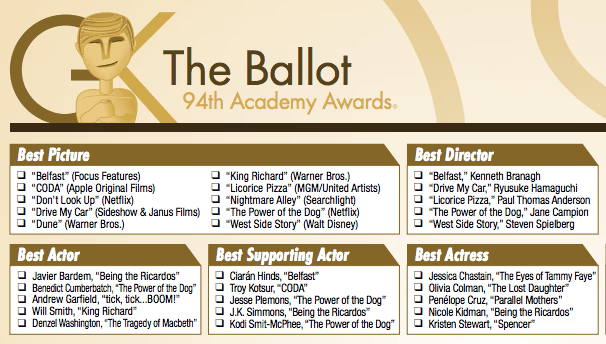
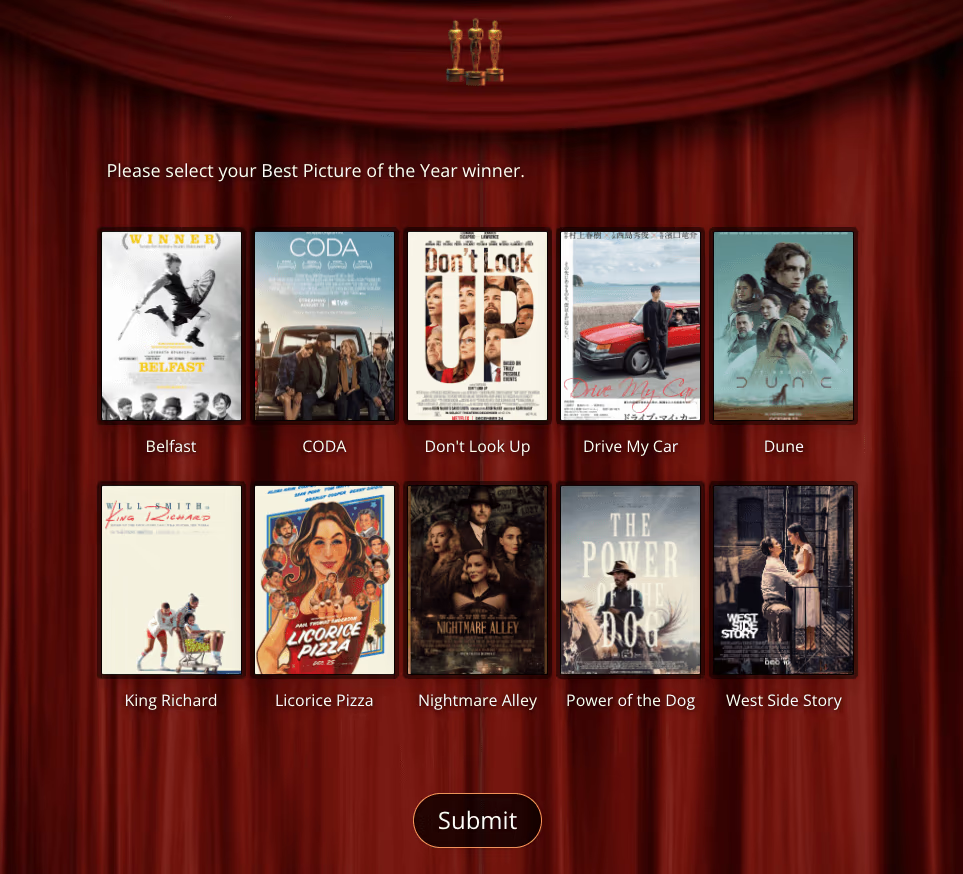
Now, consider this online survey that would allow people to vote on pictures, including a nice red curtain background and Oscar statuettes at the top for visual appeal. With this picture poll, the imagery helps trigger memories and emotions voters may have had about the films in question. More importantly, it helps participants identify nominees faster and stay engaged throughout the voting process. This creates a better user experience and can lead to stronger participation and more confident responses.
Learn about 5 common types of leading questions in surveys and why avoiding them ensures unbiased survey results.
Contest Poll with Picture Questions
Not all online surveys and picture polls are designed to choose the winner of a formal awards event. These tools can also be used to engage real participants in lighter, more entertaining ways. Media brands, fan communities, and publishers often run visual polls to encourage interaction and increase time on page. For example, superhero movies are extremely popular. A survey that lets people vote for their favorite superhero using picture questions is faster to answer and more enjoyable than a text-only list.
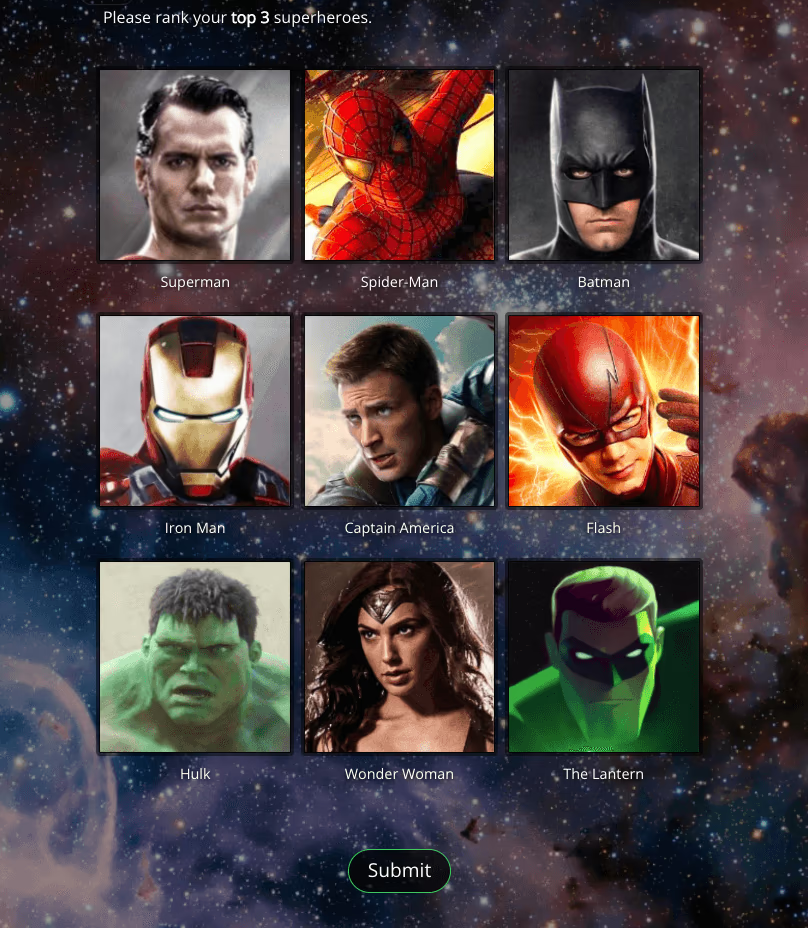
Survey with Picture Questions Created with SurveyLegend – including Multiple Selection question types.
Election Ballot or Poll with Pictures
Who will be your next president, governor, mayor, or senator? That’s a great question, and in some cases participants can answer more confidently when they are voting on pictures rather than names alone. Visual ballots can improve recognition and make the experience easier to complete, especially when there are several candidates or categories. As with all important picture questions, fairness matters. Organizers should use a system that treats each candidate equally by alphabetizing or randomizing answers where appropriate and using similarly sized, high-quality images to avoid sampling bias.
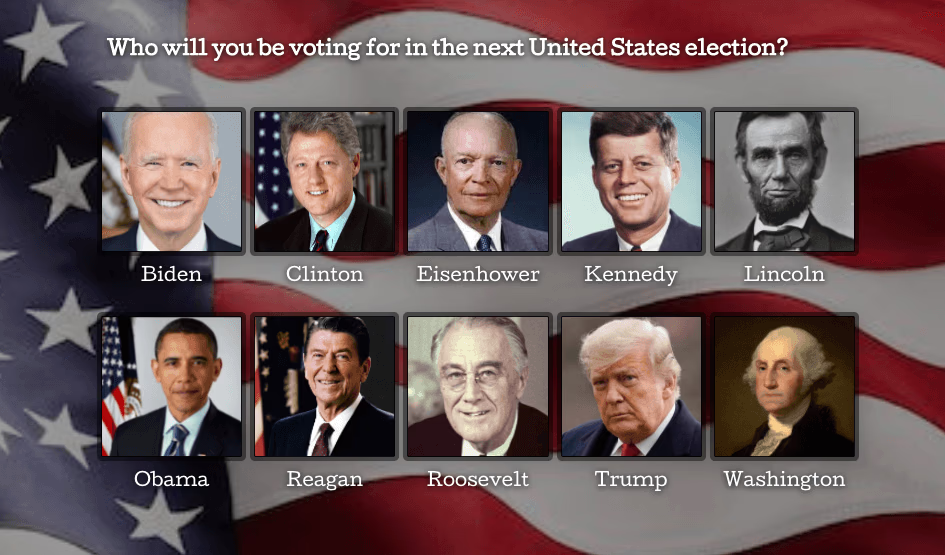
Survey with Picture Questions Created with SurveyLegend
Competitions Using Award Surveys
Today, there are thousands of industries, companies, schools, associations, and media brands creating award surveys with picture questions. Any company can use these tools to recognize employee achievements, highlight organizational success, or run internal competitions that boost participation. Check out the MENA Content Creator Awards, for example. MENA (an acronym for the Middle East & North Africa) celebrates the region’s top-quality content creators and talents together with leading global and regional brands in the industry. Participants can cast their vote on everything from Social Media Kings and Queens to category awards, such as Lifestyle Trendsetter, Food Vlogger, Motor Head, Tech Guru, Fitness Fanatic, Parent Ambassador, and World Adventurer. Here’s a look at one of their categories:
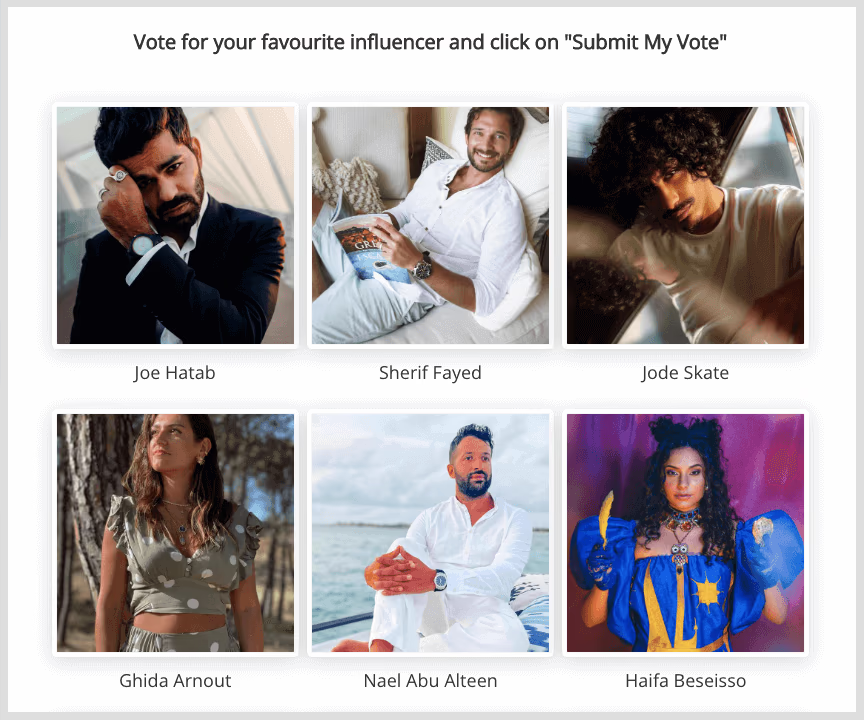
Look familiar? That’s because the MENA online survey awards use SurveyLegend’s tool to ask questions with pictures, embedded directly on their website. This is a strong example of how organizations can turn award voting into an experience that feels polished, visual, and easy to use. Whether you are running a regional creator award, an employee recognition program, or a fan-voted contest, picture questions can help make participation smoother and more engaging.
Best Practices for Survey Creation
To get the best results from an award survey, follow a few core best practices. Keep the survey concise so participants are more likely to complete it. Use plain language, clear category names, and direct instructions. Before launch, test the survey with a small group to catch confusing questions, design issues, or mobile usability problems. For picture-based voting, make sure every nominee is represented fairly with consistent image sizes, neutral backgrounds where possible, and balanced answer presentation.
It also helps to use platform features that improve both the participant experience and the quality of the results. Templates, question libraries, analytics tools, and reusable themes can save time and make surveys more consistent across events. Engaging visuals such as pictures and videos can boost response rates, but they should always support clarity rather than distract from it. When the survey is easy to understand and easy to complete, participants are more likely to provide thoughtful answers and complete the full voting process.
Analyzing Survey Results
Once your survey has collected responses, the next step is to analyze the results carefully. Online poll and survey platforms can help users review data in real time, making it easier to spot trends, compare categories, and identify clear winners or close races. To ensure you’re gathering results from the right audience, consider working with panel research companies when targeted participation is important. Looking at answers across segments, categories, or audience groups can reveal useful patterns that go beyond the final vote total.
Whether you’re deciding on a contest winner, identifying the most popular choice, or collecting feedback to improve future events, the analysis process helps you make better decisions. Reporting and visualization tools can make the results easier to understand and share with colleagues, judges, stakeholders, or event partners. Instead of relying only on raw numbers, you can use survey data to understand participation levels, drop-off points, and overall audience preferences, which makes future surveys easier to improve.
Conclusion
Ready to create engaging surveys with pictures that get results? Whether it’s for an award ceremony, an online contest, or a local or national election, creating an online survey with SurveyLegend is easy to start. Picture questions make voting faster, more visual, and easier for participants to complete. When you combine clear categories, fair presentation, and strong visuals, you can create award surveys that are more engaging for voters and more useful for organizers.
Have you used a survey with pictures in the past? Do you see the benefits of picture questions? Let us know in the comments!
Frequently Asked Questions About Award Surveys with Picture Questions
What are the benefits of surveys that use picture questions?
Picture questions help participants recognize options faster, stay engaged, and make decisions more confidently, which can improve completion rates and result quality.
Which types of awards can benefit from using surveys with pictures?
Entertainment awards, employee recognition programs, school competitions, creator awards, and public voting campaigns can all benefit from using pictures to improve clarity and engagement.
What are the MENA Content Creator Awards?
MENA (an acronym for the Middle East & North Africa) celebrates top content creators and talents across the region. The awards use SurveyLegend picture surveys embedded directly on their website to make voting more visual and engaging.
What is an online award survey?
An online award survey is a digital voting form that lets participants choose nominees or candidates across one or more categories, often using pictures to improve recognition and ease of use.
Why should I use picture questions for award voting?
Picture questions make award voting faster, more intuitive, and more accessible for broad audiences. They can also help reduce language barriers and improve participant engagement.
Can picture-based award surveys be used for elections?
Yes. Picture-based surveys can be used for elections, association ballots, internal company voting, and other situations where clear visual presentation and fair participation matter.
How do I prevent bias in picture voting surveys?
Use consistent image sizes, neutral or comparable backgrounds, fair answer ordering, and equal visibility for every nominee or candidate to make the survey as unbiased as possible.
Which platform is best for creating award surveys with images?
SurveyLegend offers picture questions, customizable survey layouts, sharing tools, and analytics that make it well suited for award voting, contests, and visual polls.