Create an Office Christmas Party Survey
An office Christmas party survey collects your team’s availability and preferences before you confirm the plans. An office Christmas party survey made with SurveyLegend lets you ask about shortlisted dates, venues, food, and activities, then review the responses in Live Analytics.
Create a free account, then add your party choices.
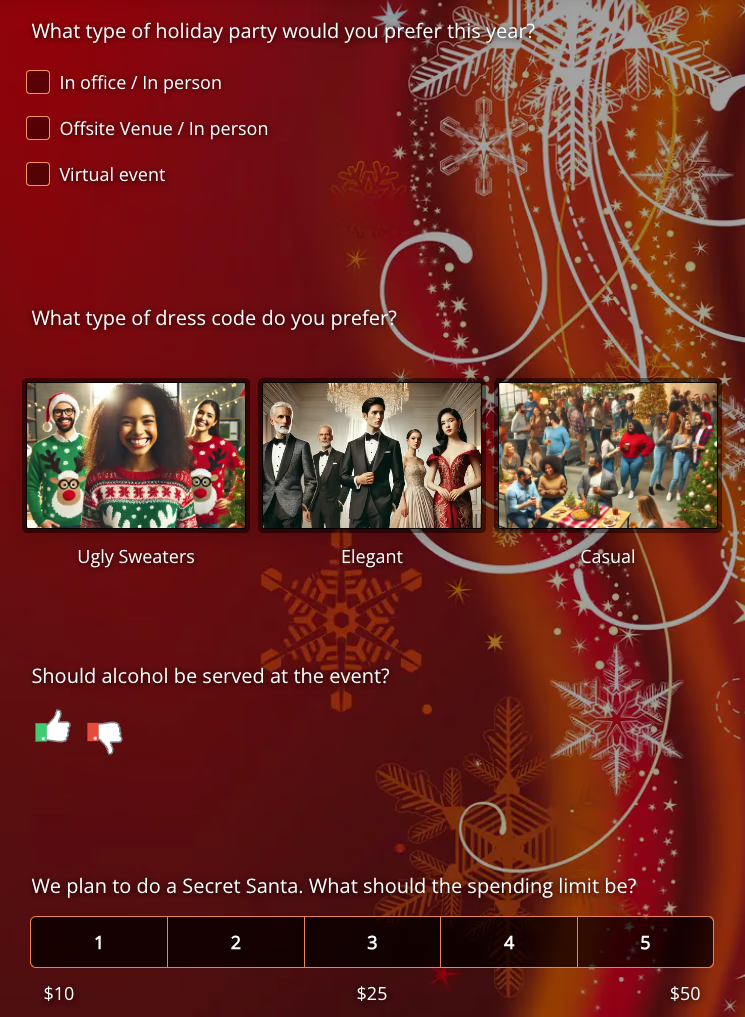
 Good plans start with their ideas.
From team preferences to party plans
Create your Christmas party survey in three steps
-
Shortlist the party options
Add the dates and party options you can offer. Use Multiple Selection so colleagues can select every date they can attend, with separate questions for venue, food, and activity preferences.
-
Ask your team
Send your survey link by email or in your team’s chat so everyone can share their availability and preferences.
-
Review the responses
Review your team’s responses in Live Analytics, then decide which shortlisted options to confirm.
A little inspiration for your party survey
Plan your work Christmas party with your team
A work Christmas party survey helps you gather input before making the bookings. Use one question to collect date availability and separate questions for venue, food, and activity preferences. Colleagues can respond from their phones, and you can review the results in Live Analytics before choosing the final plans and sending the invitation.
Their preferences. Your final plans.
Christmas party survey questions for dates, venues, food and activities
Build a short Christmas party questionnaire to find out when colleagues can attend and which party options they prefer. Use the questions below with the dates, venues, menus, and activities you can offer. Their answers help you decide what to book and include in the final invitation.
Looking for example questions, broader planning advice, or feedback to collect after the event? Read our party planning guide.
-
Dates
“Which dates can you attend?” Let people select all that apply.
-
Venues
“Where would you like to celebrate?” List the venues you can offer.
-
Food
“Which menu would you prefer?” Include the available food options.
-
Activities
“Which activity would you most enjoy?” Offer choices such as a quiz or gift exchange.
A few things before you share
Make the survey your own
Choose the questions that help you make the remaining decisions. Your team’s answers give you a starting point for the final plans.
When should I send my Christmas party questionnaire?
Send your Christmas party questionnaire once you have realistic dates and options to offer, while there is still time to use the responses before booking. Give colleagues a response deadline, then communicate the final date, venue, and attendance arrangements separately. Add questions about dress code or other choices only when those decisions are still open.
How do I find a Christmas party date that works for the team?
Use a Multiple Selection question and ask, “Which dates can you attend? Select all that apply.” Include the full date and time for each option, plus the time zone if colleagues work in different locations. This collects availability before you choose the final date.
Can I show pictures of venues, food, or activities?
Yes. Use a Picture Selection question to show pictures of your shortlisted venues, food, or activities, and label each option. Keep date availability in a separate question so you can compare preferences with the dates people can attend.
Can colleagues answer from their phones?
Yes. Share your survey link so colleagues can respond from a phone, tablet, or computer, whether they’re in the office or joining remotely.
Where can I see my team’s responses?
Follow responses in Live Analytics and use your team’s preferences to help choose among your shortlisted options. You confirm the final plans and bookings.
What should I do if two party options receive similar support?
Compare the responses with your budget, venue availability, and the dates people can attend. If you still need help deciding, send a short follow-up survey with the remaining options. Tell your team which option you choose and why.
Does the survey book the venue or confirm attendance?
No. The survey collects your team’s preferences to help you plan. You make the bookings, send the final invitation, and confirm attendance separately once the date and venue are settled.
Can I get started for free?
Yes! Create a free SurveyLegend account and add your shortlisted party dates, venues, food choices, and activities. You can also use all picture question types, including picture selection, with up to six pictures per survey to show your options. If you need more pictures or higher limits, paid plans are available with monthly or yearly subscriptions. Compare plans to find the right fit.
Ask your team. Shape the party.
Ready to plan your Christmas party with the team?
Start your survey, collect your team’s availability and preferences, and make the remaining decisions with their input.
Create a free account, then add your party choices.