



 Call a URL on submit
If you do not want to use our webhooks and deal with complexities there, you can simply ask our system to call a URL as soon as a
respondent submits their answers. This is specially great for using SurveyLegend with survey panel services
and passing IDs to external systems directly via the survey URL.
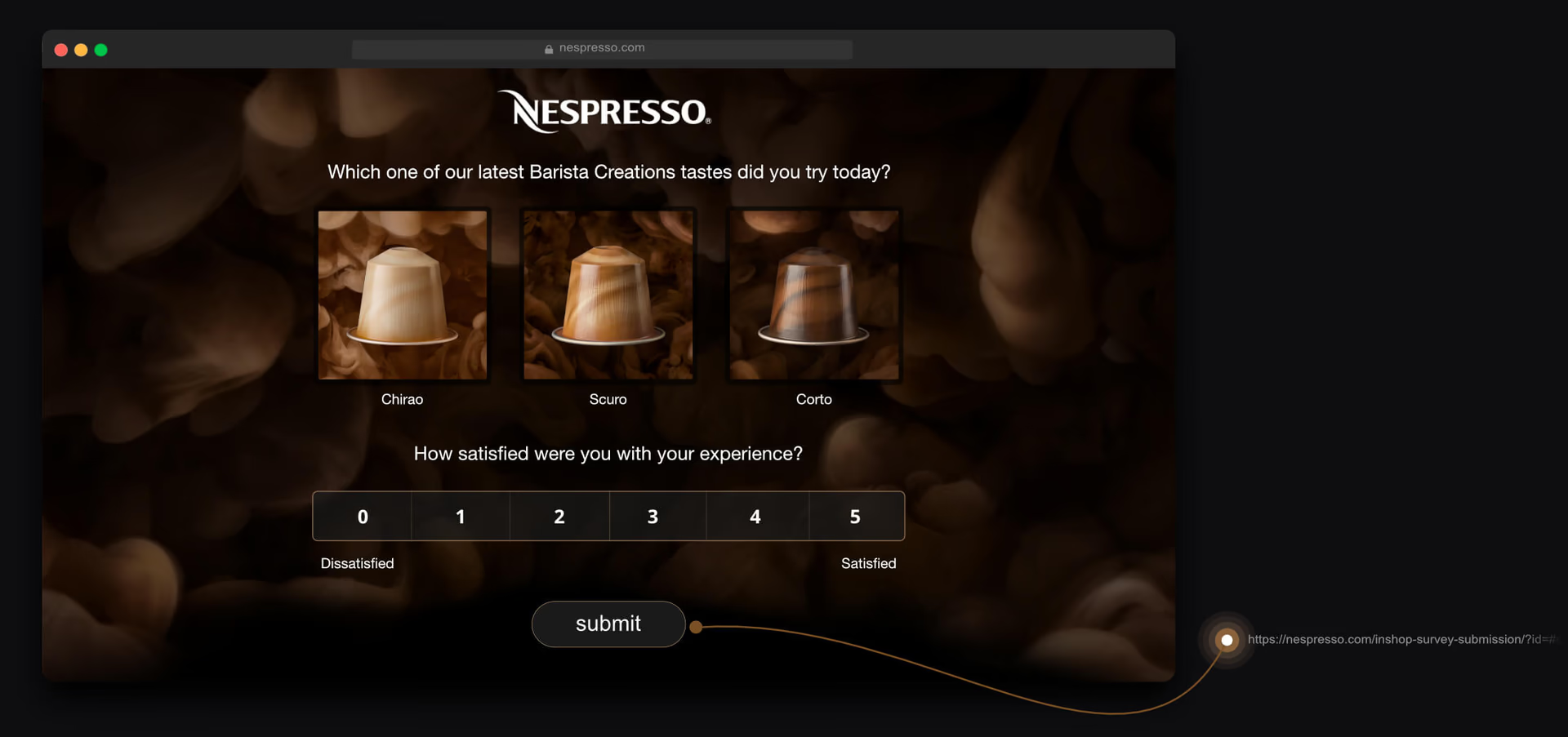
Ping a URL and pass IDs when a respondent submits a response. It’s like a very simplified webhook, which helps you inform your system about new submissions.
Note:
The server that you are calling with this feature must allow Cross-Origin Resource Sharing (CORS)! CORS is a mechanism that incorporates additional HTTP headers to tell a browser to allow a
web application running at one origin (domain) to have permission to access selected resources
from a server at a different origin. Some of “cross-domain” requests, are forbidden by default
by the same-origin security policies.
How to make this URL
As explained above, the URL which will be called can contain identifiers. Two of these identifiers are called response_id and survey_id which are internally used by our system. To the URL that should be pinged, you can also add an external_id. However, to make this setup work properly, you must insert placeholders for response_id, survey_id and external_id in the URL, which will enable our system to replace them with the actual values, like in the example below:URL to call
https://example.com?id=#external_id#&sid=#survey_id#&pid=#response_id#
Note:
the URL which is pinged comes first and is followed by a question mark ?. Then immidiately after that you have the parameters which are separated by an &sign, and there are no spaces in between.
Example
For instance, if your respondent is called John Legendson, you maybe decide to create a unique survey link for them in this format: https://www.surveylegend.com/survey/-Jpad3fUCbypMQpg8gcQ?john-legendson
Note that the external_id is added after the ? sign at the end of the survey link. Now in your web-service you may call this identifier anything
you like, for example customer_id, or customer_email. Just make sure to use the same word in the pinged URL (which is case sensitive): →here←=#response_id# between the two “#” signs. This is the thing which will be replaced by our system, when it calls your
custom URL. Let’s imagine the URL that you want to ping is “my-website.com/ping-me-for-submissions”,
and you call the external id “customer_name” or “customer_id”. Then the URL to call would be
like this:
URL to call
https://my-website.com/ping-me-for-submissions?customer_name=#response_id#
https://my-website.com/ping-me-for-submissions?customer_id=#response_id#
Tip:
You can of course ping a URL without passing any IDs. In this case, nothing will be passed
when the URL is called. If you don’t need to pass survey_id or respondent_id, simply don’t
type them in your ping-able URL.
https://www.surveylegend.com/survey/-Jpad3fUCbypMQpg8gcQ?customer_id_in_my_system=123&email=my-customer%40email-provider.com¶m_without_value
Pingable URL
https://my-website.com/ping-me-for-submissions?customer_name=#response_id#&#external_id#
Called URL
https://my-website.com/ping-me-for-submissions?customer_name=-ABC123&customer_id_in_my_system=123&email=my-customer%40email-provider.com¶m_without_value